

How Stephen Gould Scaled Its Capacity by 30% without Making a Single Hire

Turn your product roadmap into a working system. Plan initiatives, assign work, and track execution in real time without switching tools.

Plan roadmap initiatives and connect them to business outcomes
Assign tasks, owners, and deliverables across teams
Track progress, blockers, and completion in real time
Connect roadmap initiatives to product analytics data to inform decisions


A product roadmap template only works if your team uses it beyond planning.
Most teams build a roadmap at the start of a quarter. Then execution moves into another tool. Over time, the roadmap stops reflecting what’s actually happening.
A strong product roadmap template fixes that gap. It should give you:
Clear initiative ownership. Every roadmap item has a defined owner responsible for delivery.
Direct connection to outcomes. Each initiative ties back to a measurable business goal.
Live timelines and milestones. Dates update as work progresses, not after the fact.
Task-level visibility. Execution details sit under each roadmap item.
Real-time status tracking. You can see what’s on track, blocked, or complete at any time.
Product analytics integration. Tie roadmap initiatives to usage data from tools like GA4 to validate priorities and measure impact.
Without these, your roadmap becomes a static document. With them, it becomes a working system your team relies on.
Most roadmap issues come from one problem: disconnection between planning and execution. Here’s how that shows up.
They’re Built Once, Then Ignored
Teams invest time building a roadmap at the start of a cycle. But once work begins, updates happen elsewhere. Priorities shift, timelines change, scope evolves — yet the roadmap stays the same. It quickly becomes outdated.
Work Lives in Different Tools
Planning happens in one place. Execution happens in another.
Roadmap in slides or spreadsheets
Tasks in a project tool
Updates in Slack or meetings
No single view shows the full picture. That creates confusion and misalignment.
Reprioritization Has No Visibility
Priorities change all the time. But most teams don’t clearly track those changes — no record of why something moved, no visibility into what got deprioritized, no alignment across stakeholders. That leads to repeated conversations and unclear decisions.
Stakeholders Stop Trusting It
When your roadmap doesn’t reflect reality, people stop using it.
Instead, they rely on:
Status meetings
One-off updates
Direct messages
That creates extra work and slows down decision-making.
Most product roadmap planning templates stop at the planning stage. Slingshot connects your roadmap to execution. Instead of managing multiple tools, you work from a single system where strategy and delivery stay aligned.
With this template, you can:
Tie each roadmap initiative to tasks, owners, and deliverables
Track progress without leaving your roadmap view
Update priorities and have those changes visible to everyone instantly
Give stakeholders a live view of what’s in progress, what’s blocked, and what’s shipped
Layer in product analytics insights from GA4 to understand feature usage and guide roadmap decisions
This removes the gap between what’s planned and what’s actually happening.
Initiative Planning
Organize roadmap items by:
Feature
Initiative
Priority
Timeline
Add context, set ownership, and flag dependencies before work begins. Align each initiative with key product metrics tracked in GA4.
Progress Tracking
See the status of every initiative at a glance:
What’s in progress
What’s completed
Where work is stalling
Progress compared against real usage and engagement data
Task-Level Execution
Break roadmap items into tasks with assigned:
Tasks
Owners
Deliverables
Execution stays connected to strategy.
Roadmap Views
Visualize:
Timelines
Priorities
Dependencies
Get the perspective your team needs, whether you’re planning a sprint or presenting to leadership.
Roadmaps Go Out of Date: Connected execution keeps them current.
Lack of Visibility: See the roadmap and progress together.
Misaligned Teams: Keep everyone working from one system.
Execution Gaps: Tie the strategy directly to work.
1. Define roadmap initiatives and outcomes
Add each initiative with a clear outcome, priority level, and target timeline. Start with what matters most this cycle. Reference product analytics data from GA4 to validate which initiatives matter most.
2. Break each initiative into tasks
Assign owners and attach deliverables so every roadmap item has a clear path to completion.
3. Assign ownership and accountability
Everyone knows what they’re responsible for.
4. Track status as work moves forward
Update priorities, flag blockers, and keep stakeholders in the loop without a separate status meeting. Monitor how released work performs using GA4 metrics like engagement, retention, or feature adoption.
5. Adjust and iterate
As execution data comes in, update your roadmap. Reprioritize initiatives, shift timelines, and document the reasoning — all in one place. Use product analytics insights to inform reprioritization decisions, not just internal feedback.
Most roadmap tools focus on planning. Slingshot connects planning with execution. You don’t just see what’s planned — you see:
Planned initiatives
What’s in progress
What’s blocked
What’s completed
What needs attention next
How initiatives are performing based on real product usage data
That visibility helps you make better decisions faster.
Many teams already use GA4 to track product usage and engagement. This template helps you connect that data directly to your roadmap so you can:
Prioritize features based on real usage patterns
Validate roadmap decisions with data
Measure the impact of shipped work
Align teams around what actually drives product adoption
Explore our collection of ready-to-use templates, carefully crafted to cater to the needs of multiple use cases and departments. Save time and effort by trying out the template that suits your workflow best. It only takes a few clicks to get started.
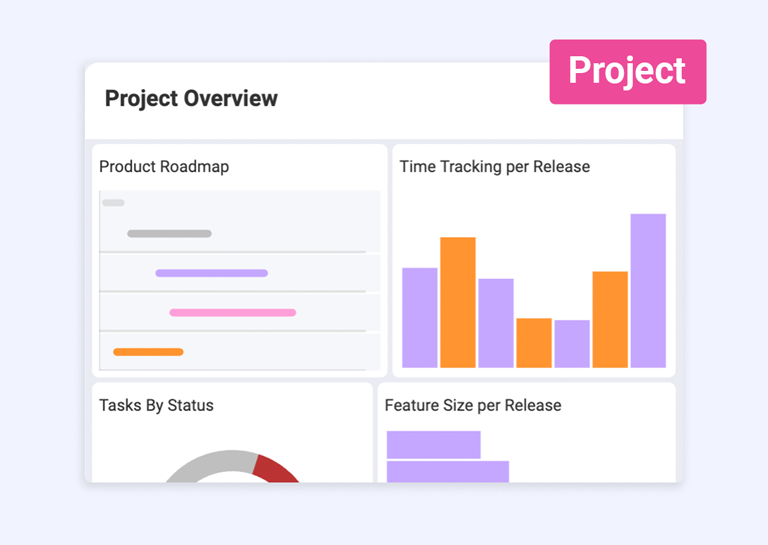
Plan product initiatives, prioritize features, and track progress across your roadmap in one place.
Connect your roadmap to execution from day one. Plan initiatives, assign work, and track progress. All without switching tools.
Use Template Use Template Use Template