This release introduces five new features that help your team move from data to action faster. Overviews give you personalized dashboards that display tasks, metrics, and goals at a glance. Slingshot as a Data Source makes your Slingshot project data fully queryable inside dashboards, giving you deeper visibility into productivity and outcomes. Conditional Formatting, a native Databricks connector, and weekly chart aggregation give you more control, more context, and clearer insights; all in one platform.
This release introduces five new features that help your team move from data to action faster. Overviews give you personalized dashboards that display tasks, metrics, and goals at a glance. Slingshot as a Data Source makes your Slingshot project data fully queryable inside dashboards, giving you deeper visibility into productivity and outcomes. Conditional Formatting, a native Databricks connector, and weekly chart aggregation give you more control, more context, and clearer insights; all in one platform.
Overviews: One View for What Matters
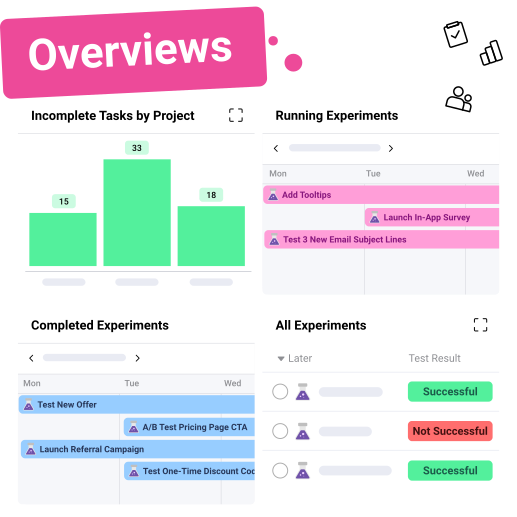
Overviews combine tasks, metrics, goals, charts, and widgets into a unified view and update in real time. You choose what appears, how it’s arranged, how it’s viewed, and what they have access to.
What you can do:
Create tasks, goals, KPIs, and data widgets
Pull data from tasks, discussions, pins, or dashboard visualizations
Personalize your layout or share it with your team
Interact with your data, drill down, expand charts, or open projects directly
Why it matters:
Full visibility in seconds
Links metrics directly to tasks
No switching between dashboards
Conditional Formatting: Highlight What Needs Attention
With Conditional Formatting, you can apply a color rule based on thresholds to charts and tables on your dashboards. This helps highlight performance thresholds, trends, or risks instantly.
What you can do:
Apply conditional color numbers for visualizations
Automatically flag outlying data, targets, or thresholds
Use color to indicate a plan that is under- or overperforming.
Why it matters:
Scanning and reading dashboards is way easier
Elevates important insights so you don't have to do it manually
Helps teams focus on what matters
New Data Sources: Bring More of Your Data Into Slingshot
You can now connect additional data sources directly into Slingshot dashboards, including enterprise-scale platforms like Databricks and channel-level sources like Facebook Organic. Bring performance data together with project and task-level work in one centralized view.
What you can do:
Connect to Databricks workspaces and Facebook Organic data inside Slingshot
Query live data and visualize organic performance alongside operational metrics
Blend external data with Slingshot tasks, KPIs, and goals
Why it matters:
Eliminate manual exports and disconnected reporting tools
Keep performance data current and centralized
Give teams a more complete view of execution, engagement, and results
Flagged Notifications: Stay Focused on What Matters
You can now flag important notifications in Slingshot to easily come back to them later—without leaving items unread or letting key follow-ups get lost.
What you can do:
Flag notifications that need review or action
Access all flagged items in a dedicated Flagged tab
Charts in Slingshot now have the option to aggregate on a “week.” This provides flexibility when tracking time-based performance across campaigns, sprints, or goals.
What you can do:
Set “week” as the x-axis aggregation in charts
Compare weekly trends across metrics
Use for sprint tracking, campaign analysis, or recurring reporting
Why it matters:
Supports agile workflows and weekly reviews
Provides a consistent view of progress over time
Easier to spot trends
Slingshot Unifies Execution and Analytics
Unified View: Get a single, clear view of your work and the business outcomes.
Real-Time Performance: Access performance metrics and results as they happen, not days later.
Faster, Smarter Decisions: Make informed choices closer to the data, helping your team understand why and act faster.
Overviews provide immediate clarity. Slingshot as a Data Source provides depth. Conditional Formatting, Databricks, and Weekly Aggregation bring precision and flexibility. By connecting work and analytics, Slingshot puts decisions closer to the data. When your insights and execution live in the same platform, you make decisions with less friction and greater accuracy.
*Some data sources support basic integrations at launch.
Request a Demo
Fill out the form below to get a personalized demo of Slingshot and even see some of the amazing things to come!
Thank you for reaching out!
A Slingshot representative will be in touch with you shortly!
Contact Sales
Take your team's collaboration to the next level with Slingshot. Find more about the all-in-one digital workplace and what plan fits your needs best by filling out the form below.
Thank you!
Thank you for reaching out! A Slingshot representative will be in touch with you shortly!
We use our own and third-party cookies to improve your experience on our website. They also allow us to analyze user behavior in order to constantly improve the website for you. Please review our Cookie Policy and cookie settings below.
When you visit any website, it may store or retrieve information on your browser, mostly in the form ot cookies. This information might be about you, your preferences, or your device and is mostly used to make the site work as you expect it to. The information does not usually directly identify you, but can give you a more personalized web experience. Because we respect your right to privacy. you can choose not to allow some types of cookies. However, blocking some types of cookies may impact your experience of the site and the services we are able to offer.
Your Privacy Matters: We use our own and third-party cookies to improve your experience on our website. By continuing to use the website, we understand that you accept their use. Cookie Policy.


 Casey Ciniello 4min read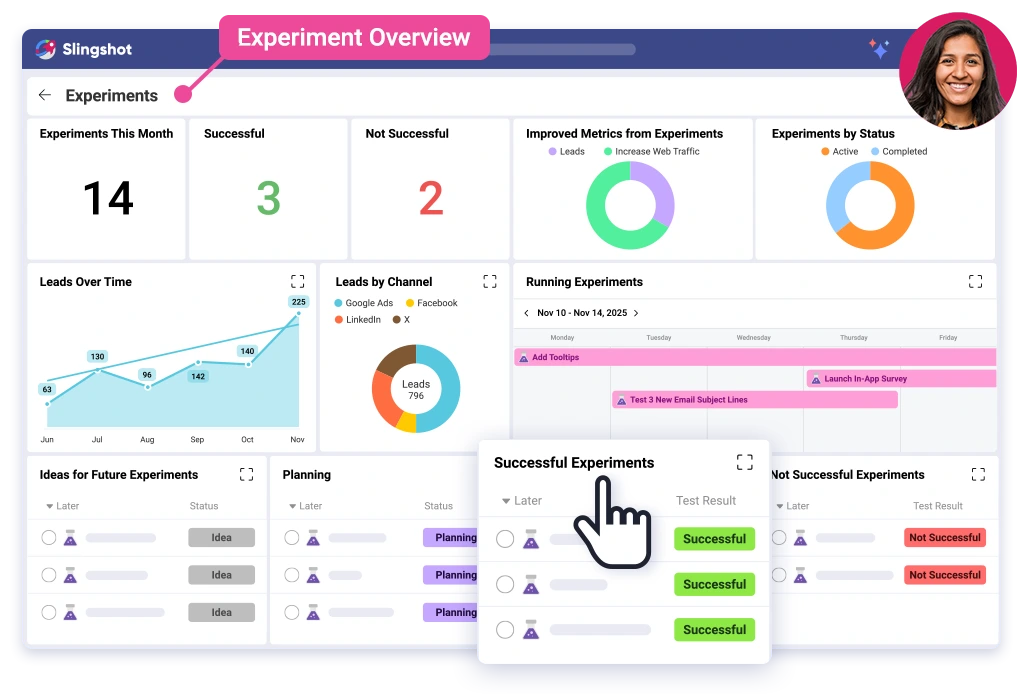




 Return to Blog
 ChatGPT
 Perplexity







