New Release: Time Tracking, Rating Fields, and Dynamic Filters in Slingshot
We're introducing powerful new features to help your team stay organized, track work accurately, and streamline workflows. With Time Tracking for all paid plans, Rating Fields, and Dynamic Filters, Slingshot continues to evolve into a more ingenious project management tool.
We're introducing powerful new features to help your team stay organized, track work accurately, and streamline workflows. With Time Tracking for all paid plans, Rating Fields, and Dynamic Filters, Slingshot continues to evolve into a more ingenious project management tool.
These features maximize planning, resource allocation, and deadline management, helping you keep your tasks and projects on track. Let's break down how these features improve your efficiency.
Time Tracking
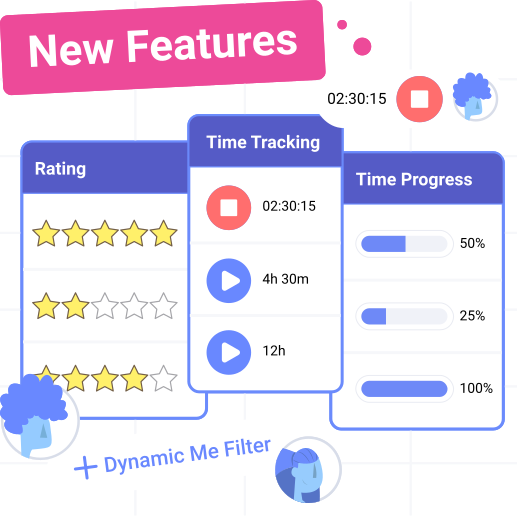
Slingshot has made it easy to track time spent on tasks. With new time-tracking capabilities for all paid plans, you can estimate, log, and analyze time spent on each task, helping teams stay on track and make data-driven adjustments.
Estimated Time/Effort Field: Set expectations by adding estimated task time or effort.
Effort/Time Completed Tracking: Log actual time spent manually or with a timer.
Percent Complete: See progress dynamically calculated based on logged time.
Time/Effort Remaining: Quickly assess how much time is left for each task.
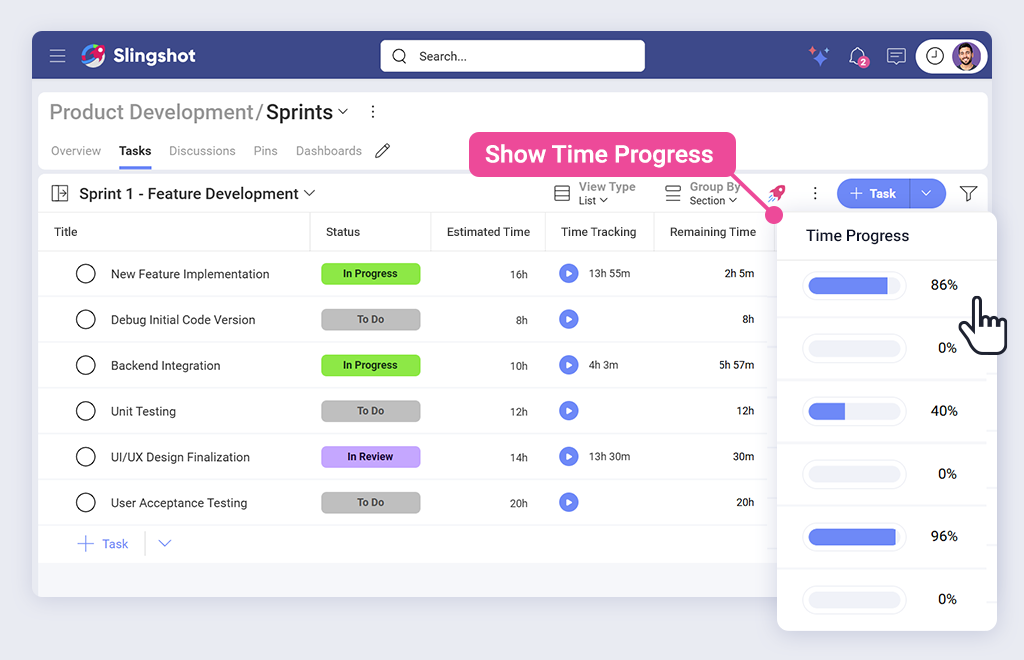
Time Tracking with Progress Bar
This new feature for all paid plans allows teams to see how tasks are being completed at a glance, thanks to a new visual progress indicator that changes automatically as time is recorded.
Toggle On/Off: Enable or disable the visual tracker.
Manual Entry: Log time manually with start/end points.
Automation Between Fields: Logging time updates related fields for better accuracy.
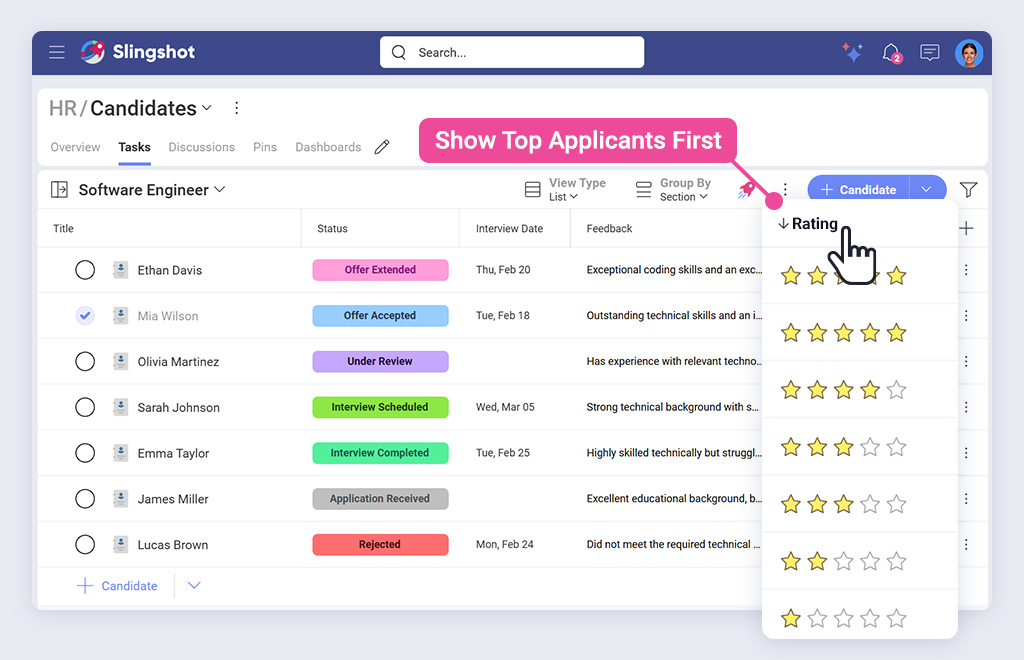
Rating Field Type
Rate tasks using a simple star-based rating system. Whether evaluating usability, quality, or completion satisfaction, this new field provides quick and precise insights.
Customizable Scale: Choose between a 3, 4, or 5-star system.
Sortable & Filterable: Use ratings in reports and dashboards for better insights.
User-Friendly Interface: Tooltips and hover effects improve usability.
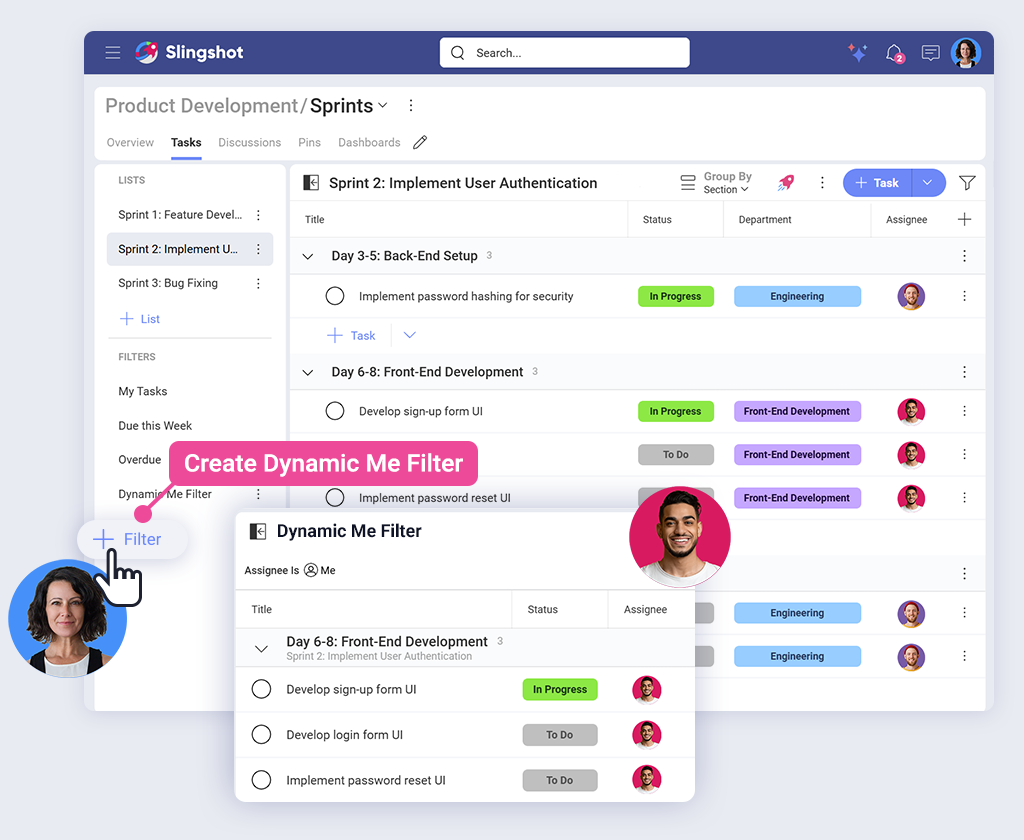
Dynamic Filter
Create team-wide filters that automatically adjust based on the viewer.
Personalized Views: Each user can now view filters with their own data populated
Simplified Team Management: Leaders can now create just one query rather than creating individual queries per team member.
Increase Productivity with These New Features
Slingshot's latest updates make project management more efficient, transparent, and user-friendly. Log in today to explore Time Tracking, Rating Fields, and Dynamic Filters—your productivity just got an upgrade.
Need guidance? Our team is here to help. Request a demo and see these features in action.
Custom Fields
Tailor your project tracking with Custom Fields—create, organize, and prioritize tasks to fit your unique workflow needs.
Fill out the form below to get a personalized demo of Slingshot and even see some of the amazing things to come!
Thank you for reaching out!
A Slingshot representative will be in touch with you shortly!
Contact Sales
Take your team's collaboration to the next level with Slingshot. Find more about the all-in-one digital workplace and what plan fits your needs best by filling out the form below.
Thank you!
Thank you for reaching out! A Slingshot representative will be in touch with you shortly!
We use our own and third-party cookies to improve your experience on our website. They also allow us to analyze user behavior in order to constantly improve the website for you. Please review our Cookie Policy and cookie settings below.
When you visit any website, it may store or retrieve information on your browser, mostly in the form ot cookies. This information might be about you, your preferences, or your device and is mostly used to make the site work as you expect it to. The information does not usually directly identify you, but can give you a more personalized web experience. Because we respect your right to privacy. you can choose not to allow some types of cookies. However, blocking some types of cookies may impact your experience of the site and the services we are able to offer.
Your Privacy Matters: We use our own and third-party cookies to improve your experience on our website. By continuing to use the website, we understand that you accept their use. Cookie Policy.


 Casey Ciniello 3min read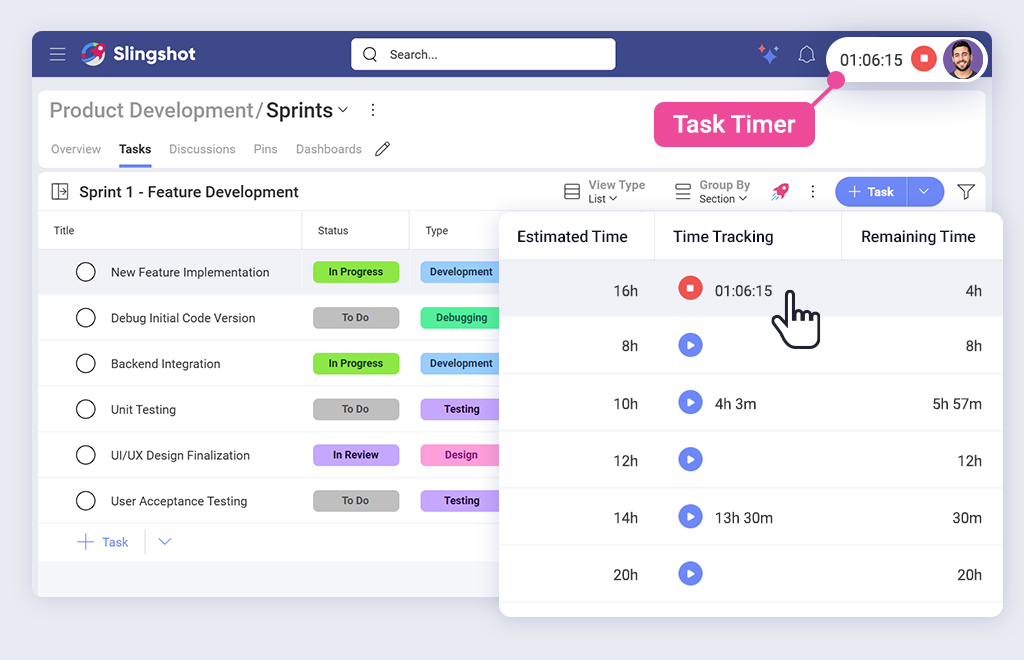


 ChatGPT
 Perplexity







