Linking Dashboards
The Analytics SDK supports dashboard linking, which allows users to navigate through dashboards. By moving from dashboard to dashboard, you can go from a high level overview of the business' reality to a more detailed view with the specifics.
From a Analytics SDK perspective, dashboard linking is invoked when an end-user clicks on a link in a visualization which invokes the loading of another dashboard.
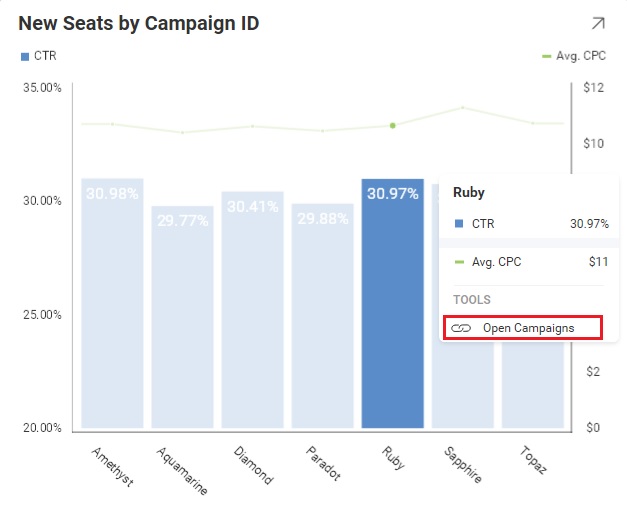
For further details about the Dashboard Linking functionality, refer to Dashboard Linking from the Analytics’s User Guide.
Note
Currently, dashboard links cannot be created with the Analytics SDK. You must use a native Analytics application such as https://app.revealbi.io/
Respond to a Dashboard Link
To respond to when a Dashboard Link is clicked within a dashboard, add an event handler to the AnalyticsView.VisualizationLinkingDashboard event.
<rv:AnalyticsView x:Name="_revealView"
                VisualizationLinkingDashboard="AnalyticsView_VisualizationLinkingDashboard" />
private void AnalyticsView_VisualizationLinkingDashboard(object sender, VisualizationLinkingDashboardEventArgs e)
{

}
The VisualizationLinkingDashboardEventArgs has the following properties:
- DashboardId - the id of the dashboard being requested
- Title - the title of the dashboard being requested
- Url - the URL of the dashboard being requested (if applicable)
- Callback - this delegate is used to provide the
RVDashboardstream back to theAnalyticsViewto be loaded
Example: Linking to a Dashboard
In this example, we are handling the AnalyticsView.VisualizationLinkingDashboard event in response to an end-user clicking on a visualization in our Marketing dashboard. This link should take us to the Campaigns dashboard when clicked.
To do this, we get the file path to the Campaigns.rdash file from our Dashboards directory. Once we have the file path, we then create a new FileStream using our path and provide that stream to the e.Callback.
private void AnalyticsView_VisualizationLinkingDashboard(object sender, VisualizationLinkingDashboardEventArgs e)
{
    var path = Path.Combine(Environment.CurrentDirectory, "Dashboards/Campaigns.rdash");
    using (var stream = File.OpenRead(path))
    {
        e.Callback(e.DashboardId, stream);
    }
}
Note
The source code to this sample can be found on GitHub


